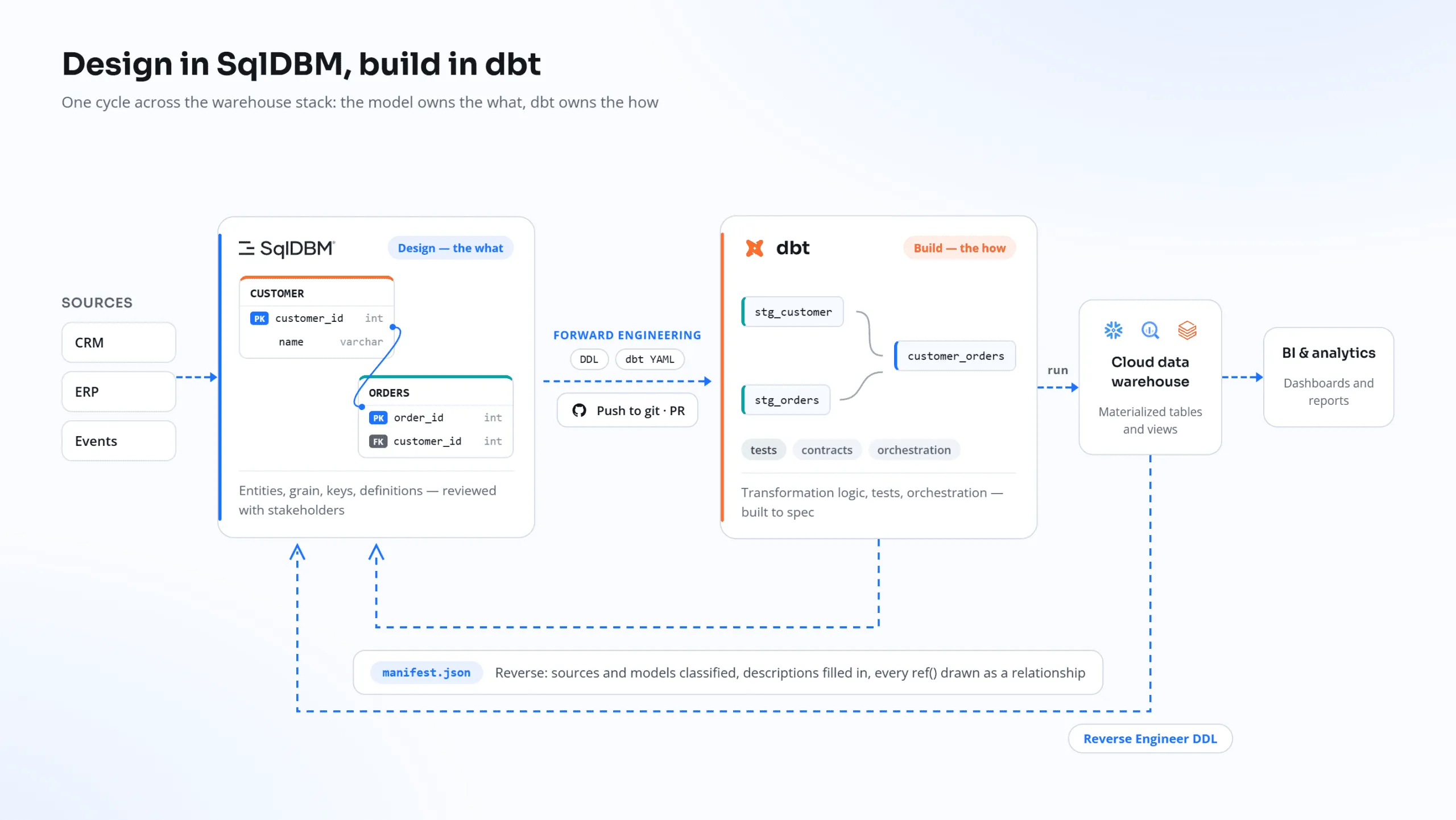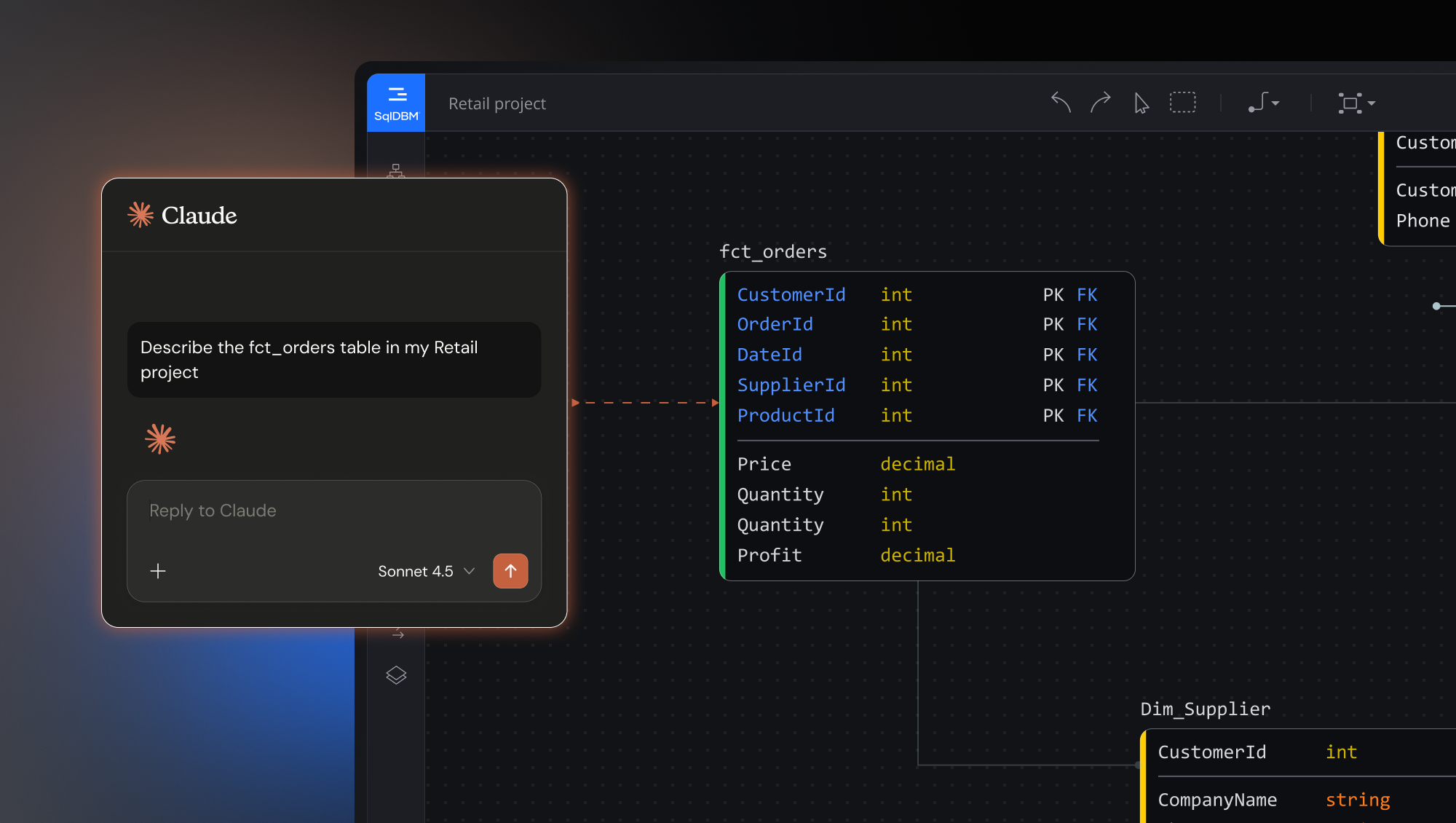

Enterprise organizations rely on SqlDBM diagrams to accelerate business
intelligence and database design. They often also rely on a data catalog, like Collibra, to centralize their data
governance metadata and create a one-stop shop to empower self-service. By embedding SqlDBM diagrams using iFrames
into their central governance catalog, teams can visualize and reference database structures in real time without
leaving their familiar workspace. Below is an overview of the benefits and steps to accomplish this integration.
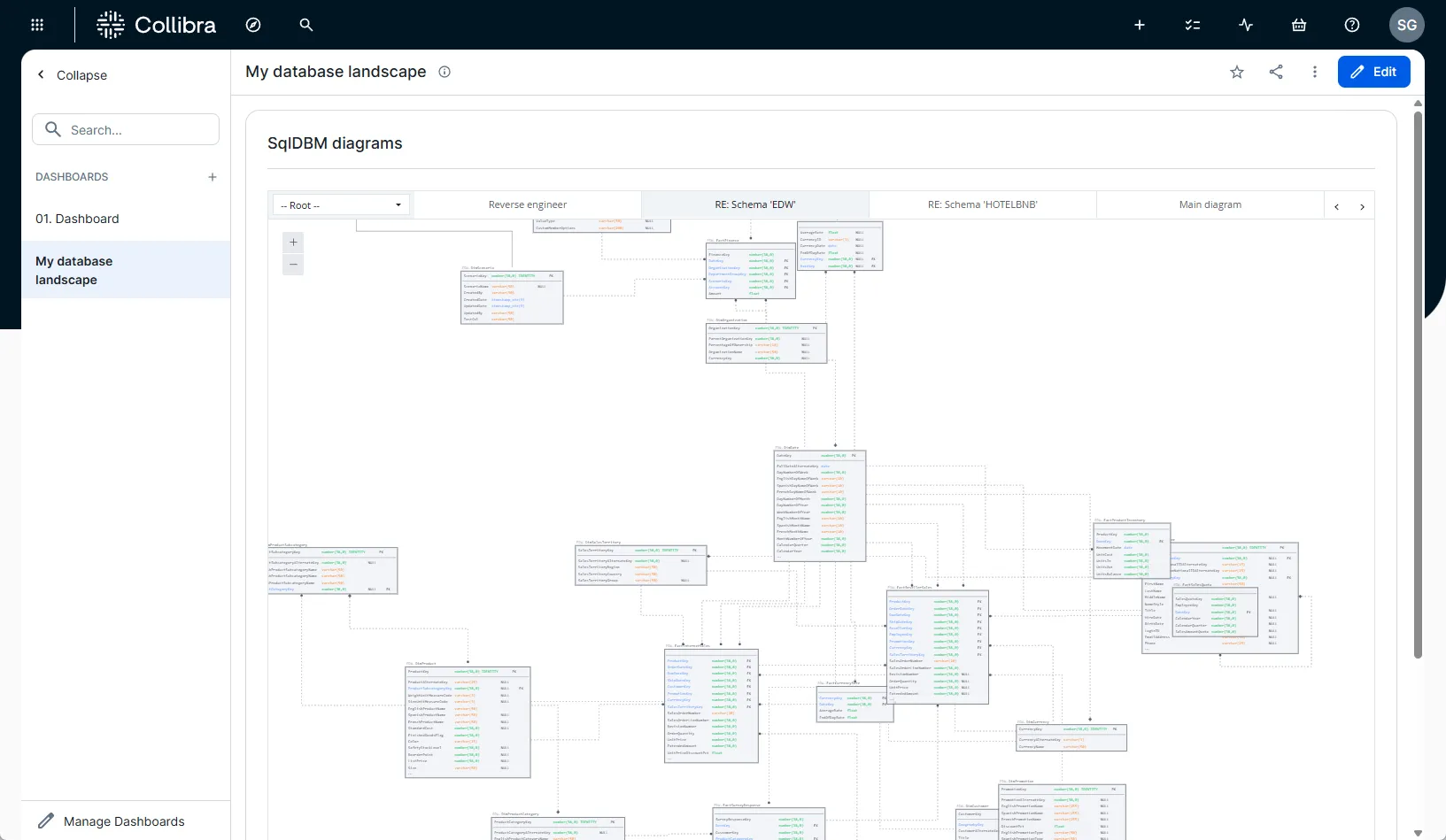
Note that these same steps can be adapted for other data governance catalogs
or knowledge-sharing platforms.
Why Embed SqlDBM Diagrams in Collibra?
SqlDBM is an online database modeling tool that makes models accessible to
everyone in the organization through the browser. By embedding those models directly into Collibra (or similar
platforms), organizations can:
- Improve User Experience: Access and view ERDs (Entity
Relationship Diagrams) within the Collibra interface — no need to switch between multiple apps. - Facilitate Collaboration: Multiple teams can see
up-to-date diagrams in real-time, boosting cross-functional communication and minimizing information silos. - Enhance Data Governance Workflows: Enrich Collibra’s
governance features by adding a visual layer of database context — making lineage, ownership, and impact analysis
clearer. - Maintain Security and Access Control: SqlDBM iFrames are
domain-validated, ensuring that only authorized users and trusted domains can display embedded diagrams. - Streamline Maintenance: Because SqlDBM is a web platform,
project updates are reflected instantly in the embedded iFrame, removing the need for manual diagram updates.
Steps to Embed SqlDBM Diagrams via iFrame in Collibra
Below is a high-level summary of how to securely embed SqlDBM content into
Collibra.
Generate the iFrame
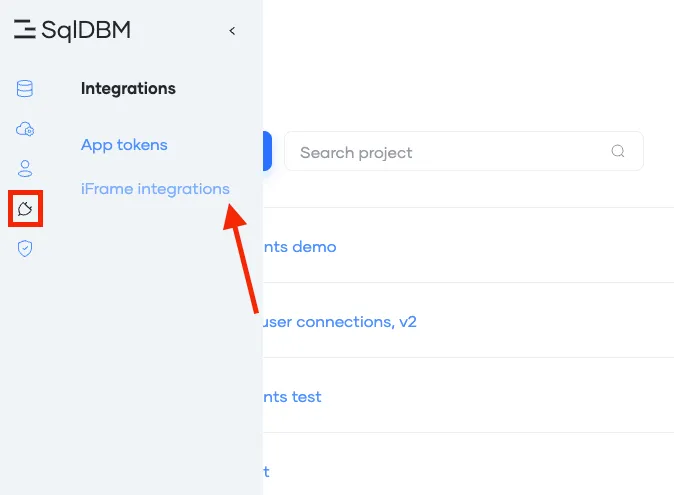
In SqlDBM, navigate to Dashboard > Integrations >
iFrame integrations.
Configure iFrame settings:
- Label. Name of the iFrame.
- Domain. A domain represents the unique
address or location of a website on the internet (for examplemyorg.collibra.com). Domains ensure
secure and controlled access to embedded content. - Project. SqlDBM project from where the iFrame
is going to be generated.
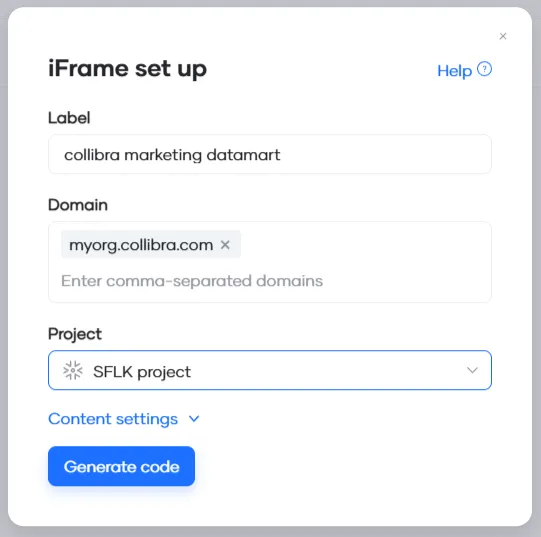
- Click Generate Code to create an embedding link.
- Copy the generated URL.
Embed the content in Collibra
- In Collibra, navigate to a Dashboard where you want the diagram displayed.
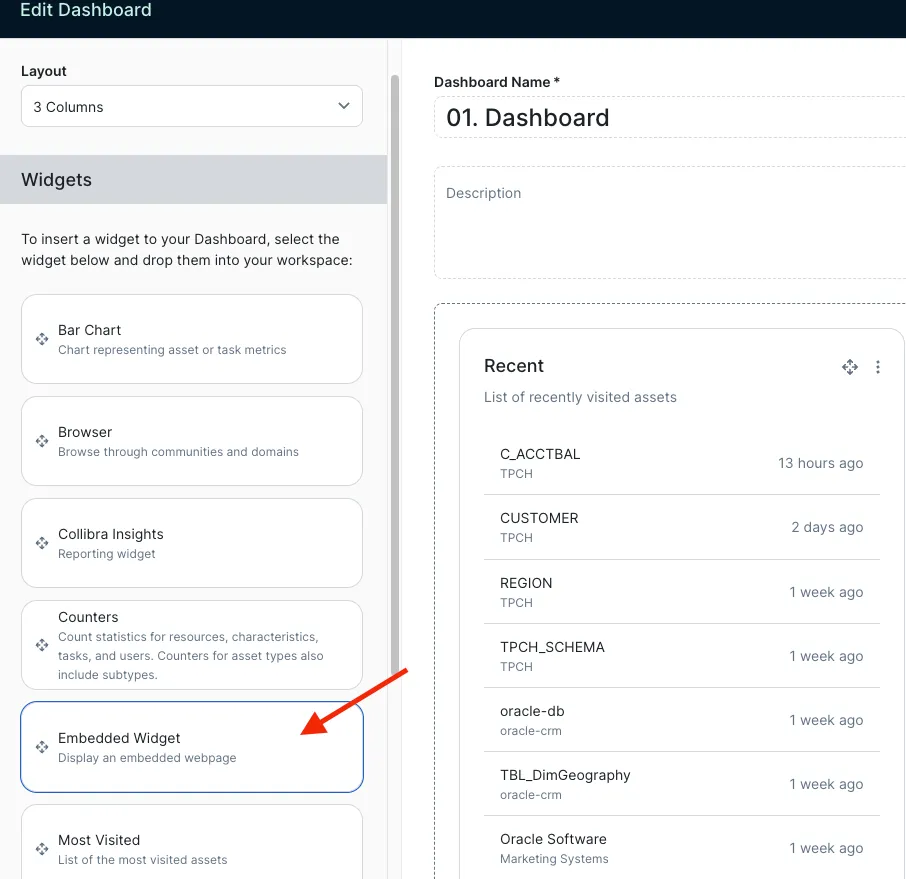
- Add a new “Embeded Widget” (the exact name or location of this option may
vary depending on the Collibra version). - Paste the iFrame URL in the widget configuration.
- Remove any unneeded sandbox options, then hit Save.
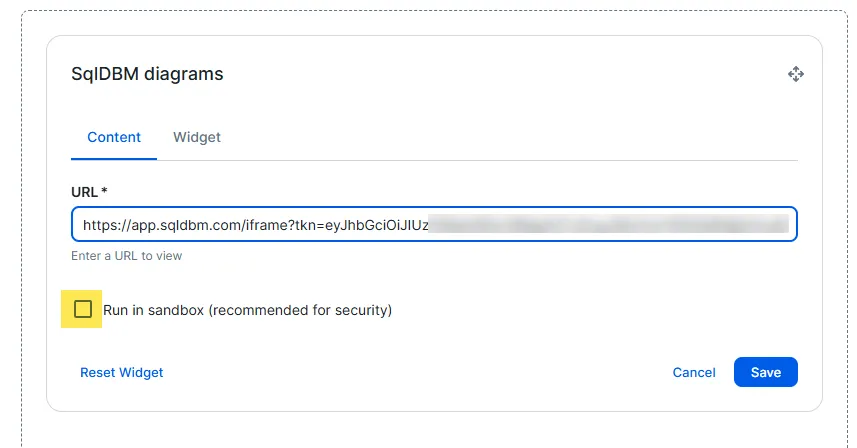
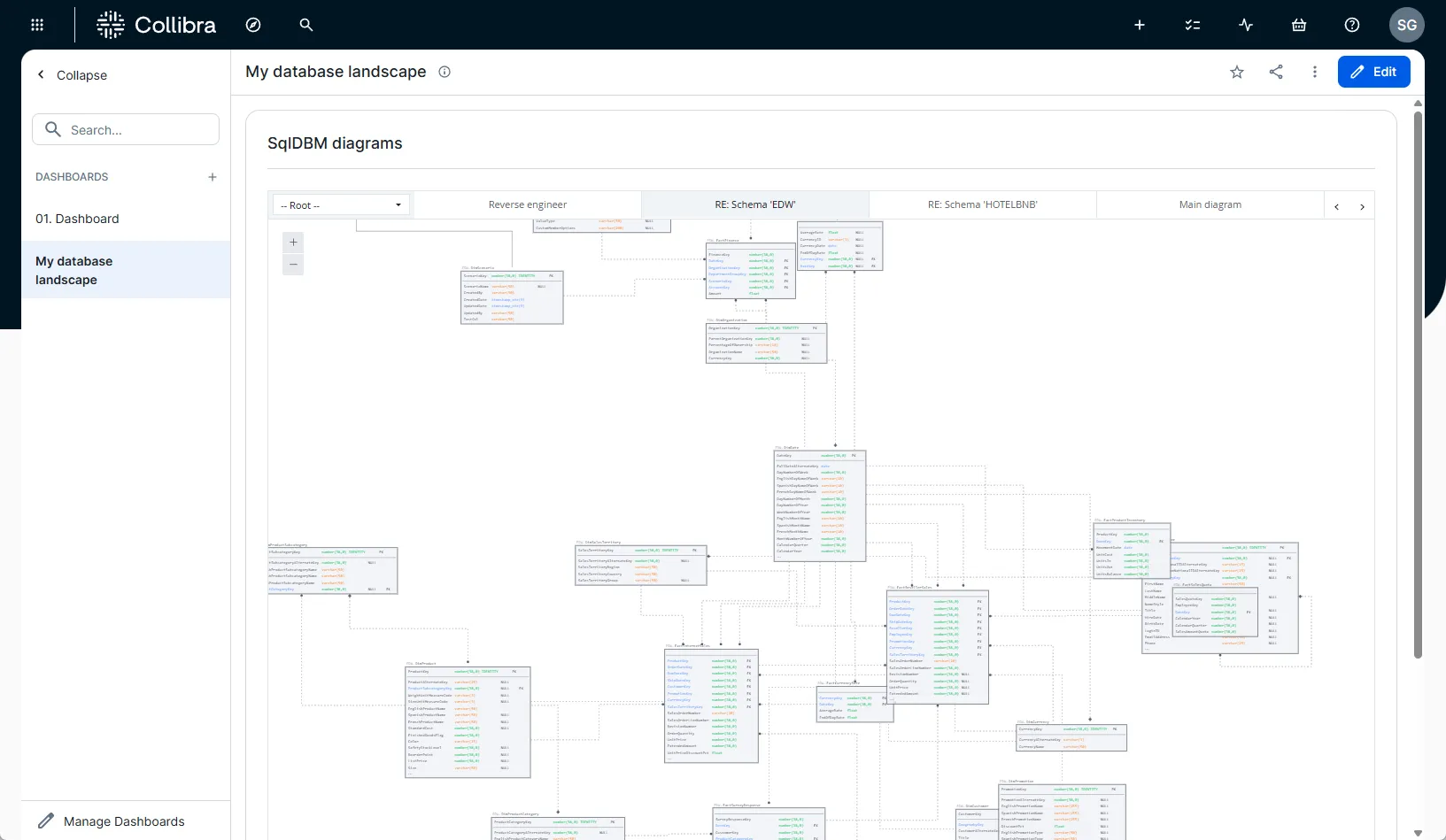
Enjoy up-to-date database landscape information
- Open your Collibra Dashboard to confirm that the SqlDBM diagram displays as
expected. - Zoom in/out or switch subject areas (if enabled) to confirm everything
works as intended.
Security and Maintenance Considerations
- Access Control: Only SqlDBM admins/modelers can generate
iFrames. If their access is revoked, the iFrame remains functional for authorized viewers unless explicitly disabled
by another modeler or admin. - Domain Validation: SqlDBM validates the domain to prevent
unauthorized embedding. - License and Subscription: If your SqlDBM subscription
ends, the embedded diagrams will become inaccessible. - Real-time updates: The embedded content will display the
latest project version by default. However, you can change this in the iFrame settings to embed a fixed (historic)
revision or filter the subject area or diagram.
Conclusion
While this guide focuses on Collibra, the same process applies to any data
governance catalog or knowledge-sharing platform that supports iFrame embedding. Simply generate the secure iFrame
code from SqlDBM, allowlist the appropriate domain in your project settings, and paste the embed link into the chosen
platform’s embed widget or HTML section.
Embedding SQLDBM diagrams using iFrames is a straightforward yet powerful way
to provide real-time, read-only access to database models within Collibra or anywhere else. This integration
streamlines self-service and data governance processes, enhances user experience, and ensures consistent, secure
access to up-to-date database designs.
Feel free to explore this functionality in your own data governance or
knowledge-sharing tool for a seamless and unified view of your organization’s database architecture.
Please get in touch with your SqlDBM account manager or contact us to find out
more!