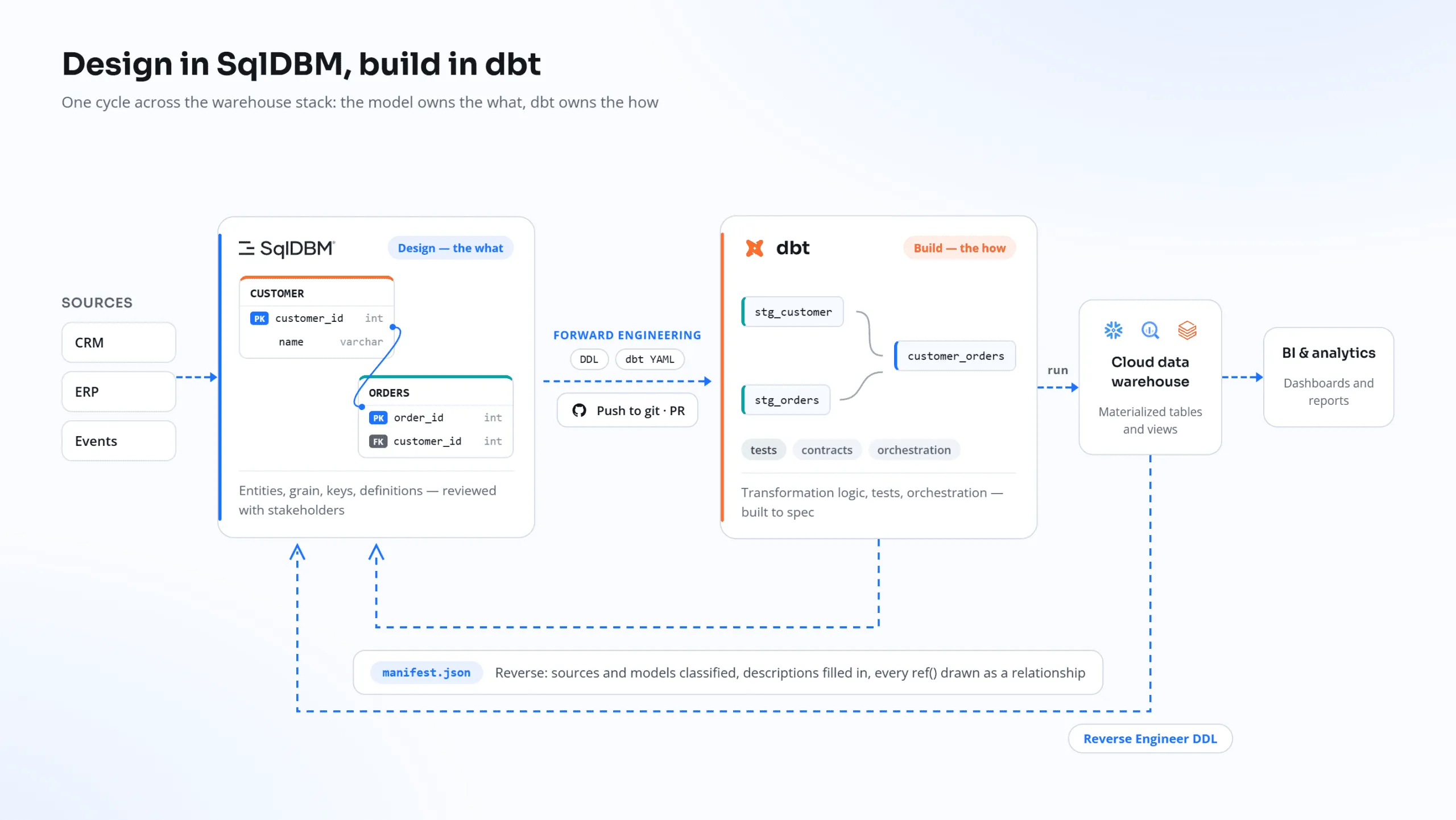

Your team already talks to AI assistants every day, drafting, coding, analyzing. But until now, your data model wasn’t part of that conversation. To answer “what would break if we change this table?” you had to leave the chat, open SqlDBM, export DDL, take screenshots, and paste things back and forth.
That ends today. The SqlDBM MCP server is here.
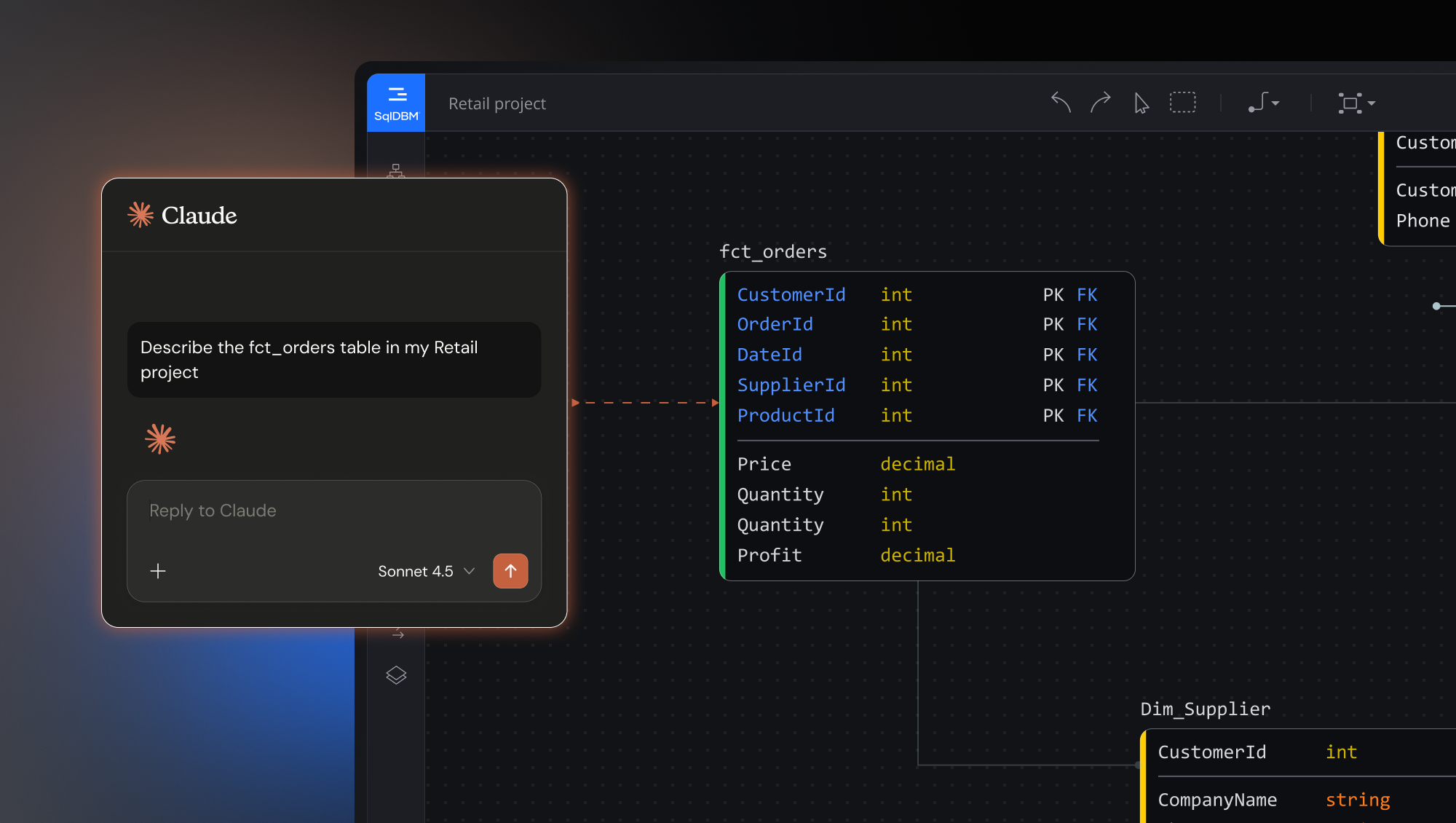
What is MCP?
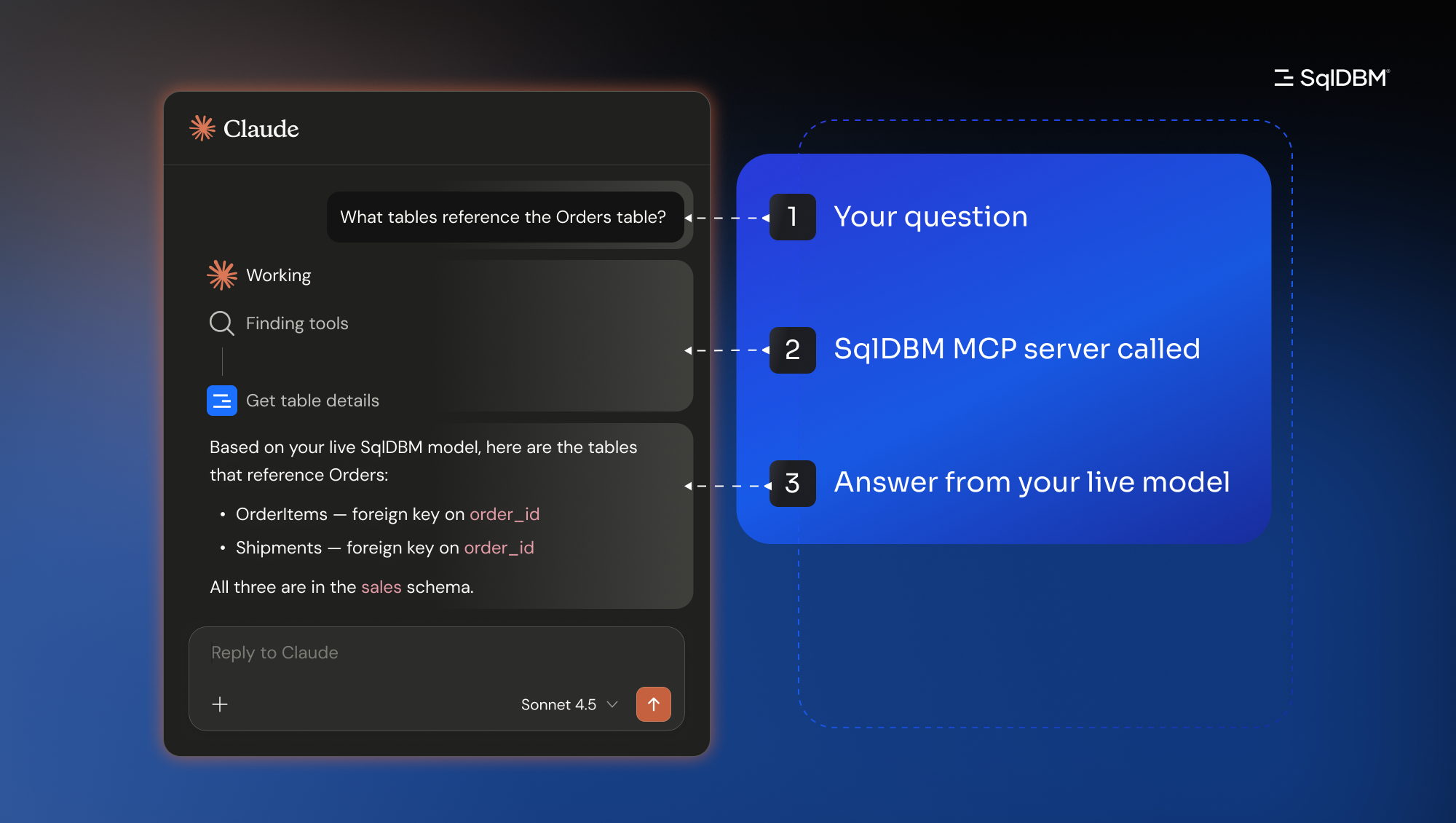
MCP (Model Context Protocol) is an open standard that lets AI assistants like Claude safely connect to the tools where work actually happens. Think of it as a universal adapter: each tool publishes its capabilities once, and any compliant AI assistant can use them.
With SqlDBM connected, your AI assistant can read your data models in real time, generate alter scripts, run impact analyses, find PII columns across your warehouse, and coordinate with your other tools, all from a single conversation.
In one sentence: MCP turns SqlDBM into a participant in your team’s existing AI conversations, rather than a tool you have to navigate to separately.
Why this is different from another integration
Traditional integrations are point-to-point: built once, narrowly scoped, brittle when needs change. MCP is different. Each system exposes its capabilities in a standard format, and your AI assistant composes them in unlimited combinations.
A workflow that crosses SqlDBM, Jira, Confluence, and Slack isn’t four integrations. It’s one conversation that draws from four sources as needed. And every new tool you connect makes every other connected tool more powerful, including SqlDBM.
What this looks like in practice
Here are five workflows that used to mean switching tabs, exporting files, and copying things back and forth manually. Each one is now a single conversation.
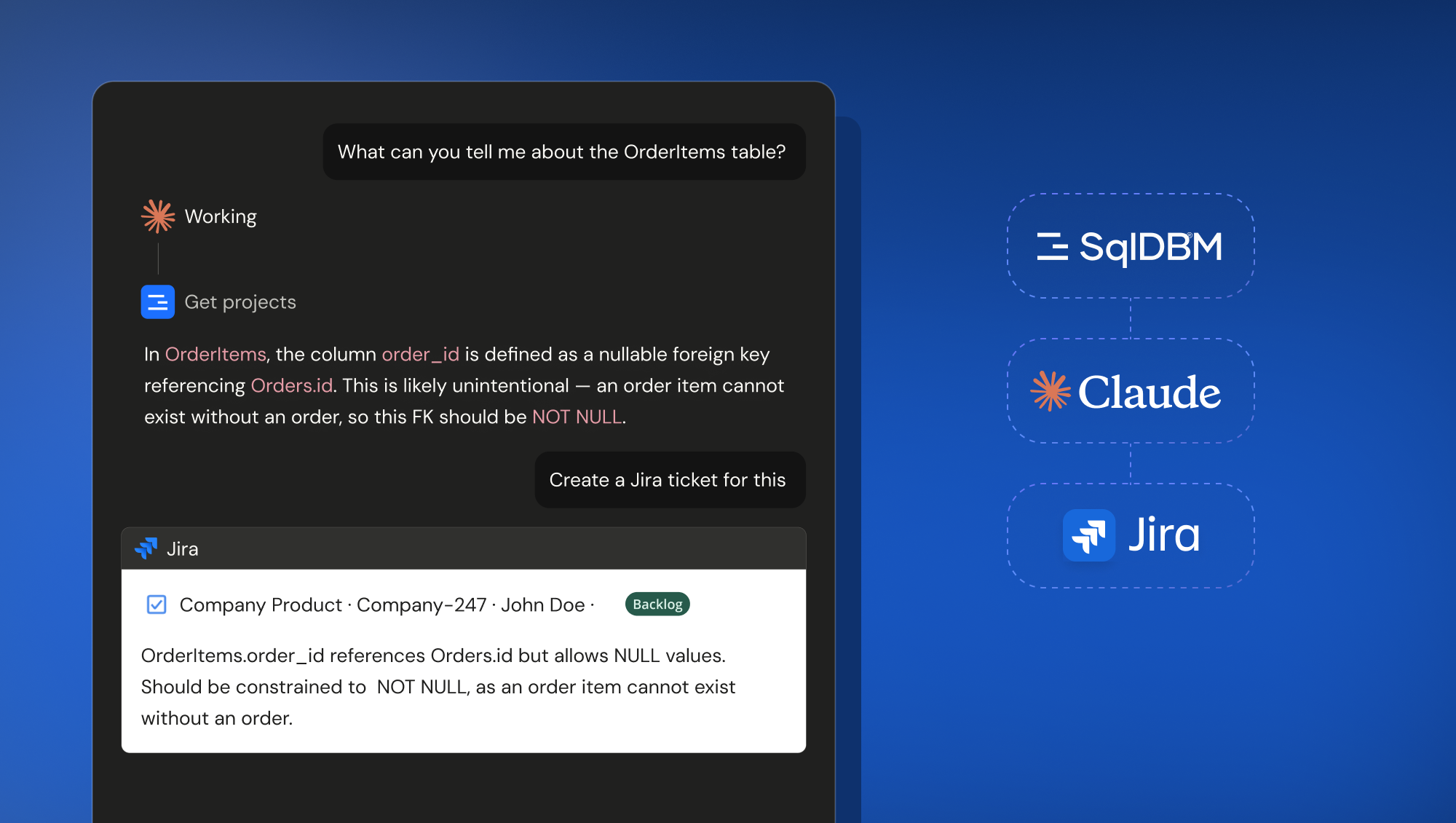
Schema change → Jira ticket
Ask your assistant to describe a recently added table. It walks through every column, flags design issues (for example, a nullable foreign key pointing at a NOT NULL target) and when you say “create a Jira ticket for this,” a properly structured ticket lands in your project, DDL and suggested fix included.
Model audit → Confluence page
Request an audit of a project: FK integrity, naming consistency, orphaned objects, prioritized issues. Then: “post this to our data architecture space.” Ninety seconds later there’s a substantive Confluence page that didn’t exist before.
Impact analysis → deployment PR
Ask what happens if you change the grain of a fact table. Get a dependency graph, risk table, and alter script, then open a GitHub PR with the analysis already written into the description.
Schema change → team heads-up
“Summarize what changed and post it to the data engineering channel.” Done in 30 seconds instead of 15 minutes.
PII discovery → compliance doc
Find every PII column across the warehouse, check masking coverage, flag the gaps, and save the findings as a doc in your compliance folder. One conversation, audit-ready output.
None of these workflows required new integrations to be built. They emerge from the protocol and each new tool you connect unlocks more of them.
There’s one more difference that matters. What your AI assistant reads through the SqlDBM MCP server isn’t auto-generated metadata scraped from your warehouse. It’s the model your team actually built: physical, logical, and semantic layers, with definitions, lineage, and ownership, reviewed and approved by humans before any of it goes downstream. Plenty of tools can generate a description of your data. Very few can hand AI one that someone is accountable for.
What about AI Copilot?
If you’re using SqlDBM’s AI Copilot, keep using it. They’re complementary. AI Copilot lives inside SqlDBM, purpose-built for focused modeling and documentation work: naming columns, generating descriptions, suggesting relationships. The MCP server lives in your AI assistant, built for workflows that span multiple tools and teams. Most people end up using both: Copilot when they’re deep in the model, MCP when they’re working across the stack.
Security, in plain terms
The MCP server runs with your credentials and respects your existing SqlDBM permissions. Your assistant only sees what you can see. Reads are scoped to your account. Any write action (creating a ticket, posting a message, opening a PR) requires your explicit confirmation in the chat. And it’s an open standard: Claude is the most fully featured assistant today, but the same server works with any MCP-compliant assistant.
Getting started
Setup takes minutes. In Claude, it’s one click in Connectors settings. Each team member connects with their own credentials, so permissions follow the user with no extra licensing complexity. Most people get their first useful answer in their first conversation.
Connect the SqlDBM MCP server →
Your AI assistant is becoming the place where work happens. Now your data model is in the room, and AI works from the truth, not a guess.