


SqlDBM + Bitbucket
Your repository, your Jira tickets, your Confluence pages — and now the data model that ties them together. DDL and dbt YAML push straight into Bitbucket.
THE PROBLEM
Your data model is the one thing living outside Atlassian
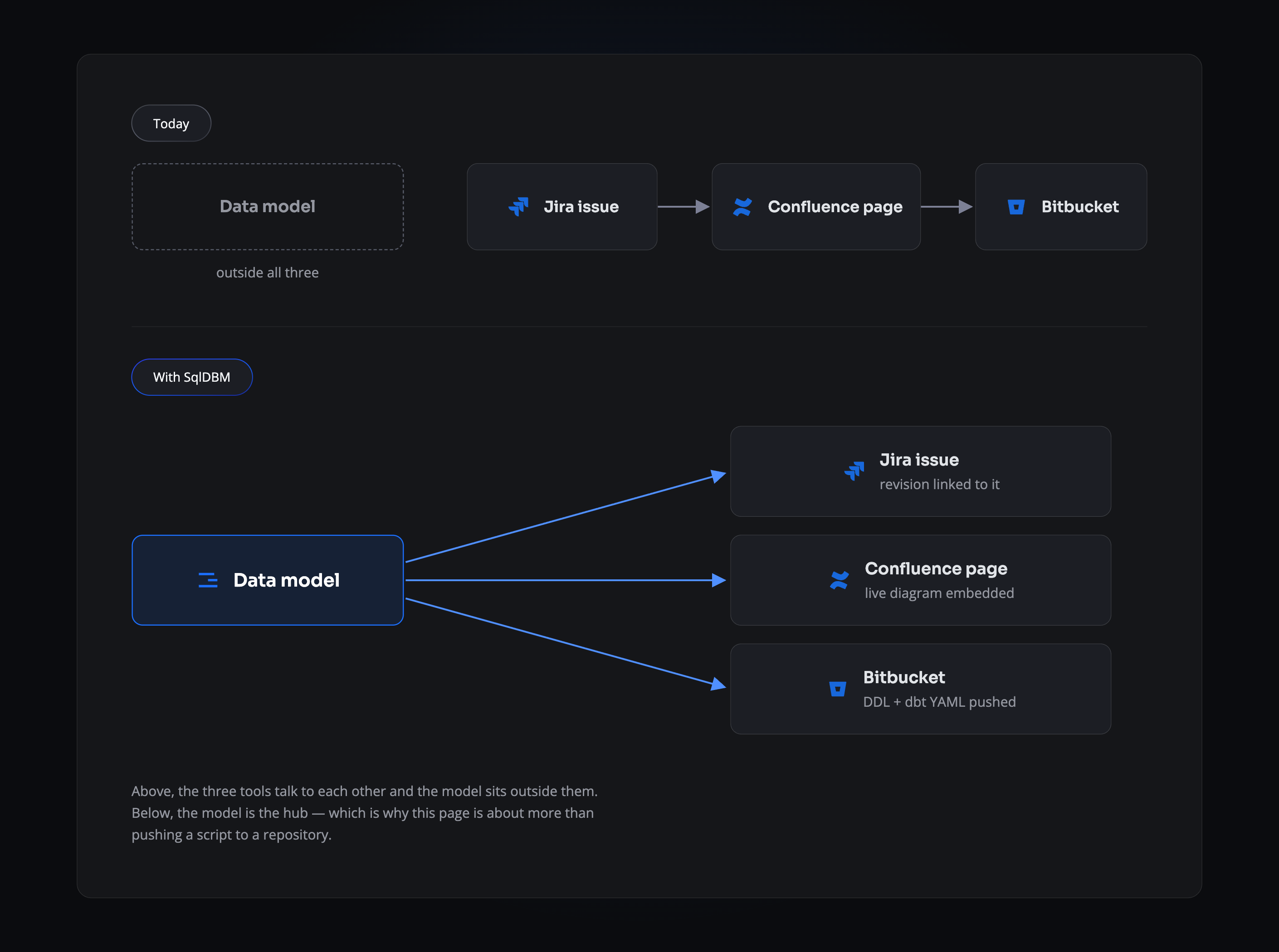
The request arrives as a Jira issue. The design gets written up in Confluence. The code implementing it is reviewed in Bitbucket. And somewhere in the middle sits the data model, in a desktop tool or a diagram nobody else can open. It’s the only part of the process that can’t be linked to, reviewed, or found again by someone who wasn’t in the room.
- The issue and the change never meet. A ticket asks for a column; nothing ties it to the schema that was altered.
- Documentation ages the moment it’s written. A diagram pasted into a page is a snapshot, and it starts drifting straight away.
- The repository has no record. Application code carries its history in Bitbucket. The schema underneath it doesn’t.
THE LOOP
One model, wired into all three
Link a revision to the Jira issue that asked for it. Embed the live diagram in the Confluence page that documents it. Push the generated DDL and dbt YAML to Bitbucket, as a commit or a pull request. Three connections, one model, and the piece that used to sit outside your tools is now the thing joining them.
THE COMMIT LOG
A history that outlives the people who made it
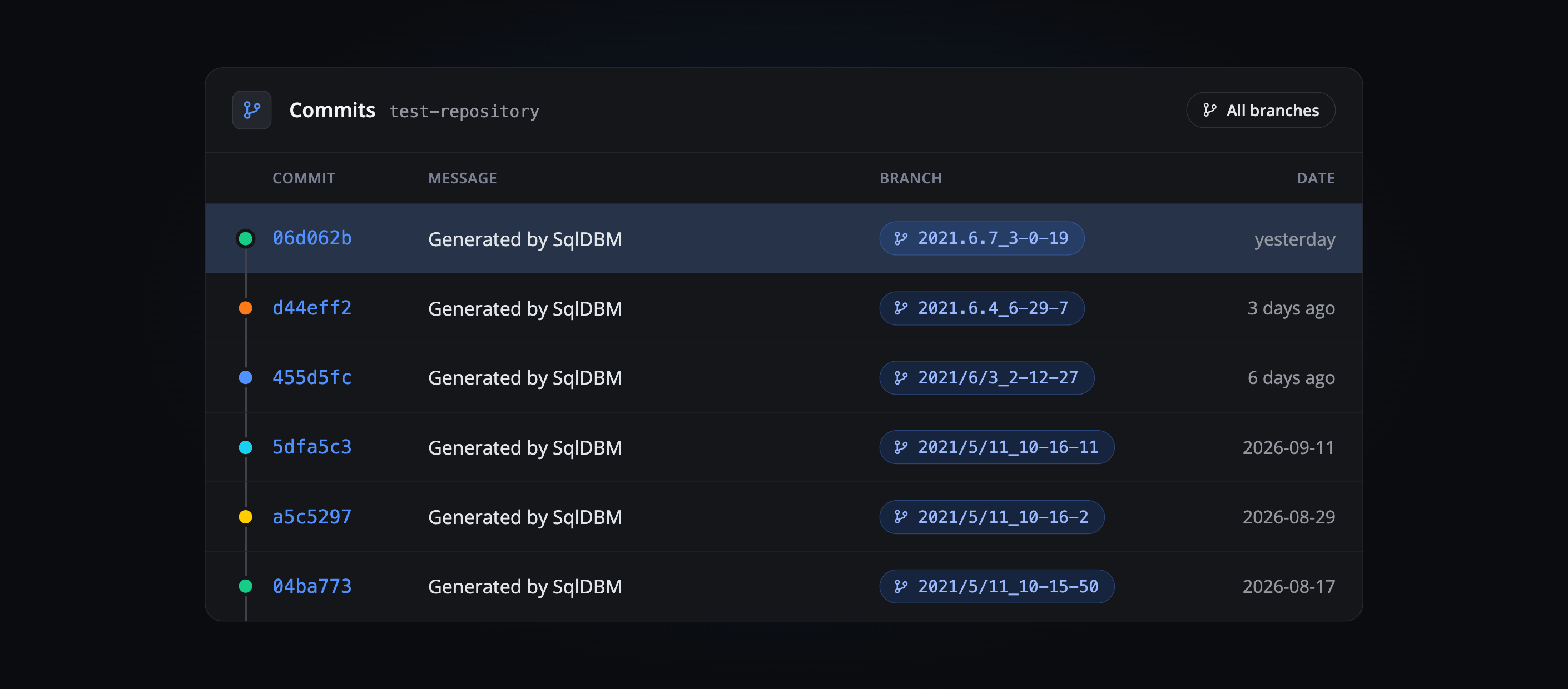
Every push is a commit — attributed, dated, sitting in the same log as your application code. The record builds itself. Nobody maintains a changelog, and “when did this table change” has an answer that doesn’t depend on who still works here.
Setting up the connection
1
Create an API token
In Bitbucket, open Account Settings → Security → API tokens and create one scoped for read and write on repositories and pull requests. It’s shown once, so copy it before closing the dialog.
2
Add the connection
In SqlDBM under User Connections, create a Bitbucket connection using your username, the API token and the repository’s HTTPS URL.
3
Initialise the repository
Bitbucket needs at least one file on the main branch before anything can be pushed to it. A README is enough.
4
Enable it on the project
Choose the connection in Project Settings or from the Push to Git configuration, and decide whether pushes raise a pull request.
THE PAYOFF
What changes for an Atlassian team
One review path
Schema and application code arrive in the same place under the same rules, so nobody maintains a second process for the database.
The model stops drifting
What sits in SqlDBM and what sits in the repository describe the same thing, leaving no stale diagram to reconcile.
The issue explains the change
With Jira linked, a revision carries the ticket that prompted it. Six months later the reason is still attached to it.
Documentation that doesn’t rot
A Confluence page embedding the live model refreshes itself, so nobody is assigned to redraw it.
Related Integrations
Jira
Link model revisions to the issues that requested them.
Confluence
Embed the live model in the page that documents it.
GitHub
The same push workflow, outside the Atlassian stack.
Token scopes, usernames and repository setup, in full.
Trusted by data teams globally
400,000+ users globally